
My Email Newsletter
Thanks for reading! If you’d like me to send you a human-written email newsletter whenever I publish a major post (not for every little thing), let me know here:
This form includes options to join other email lists or Signal groups related to my Social Groups!
(Or just tell me on any medium you prefer and I’ll add you.)
Emails Are Better Than Feeds
I know email is such a Boomer / Gen X uncool thing, but we have more control over our email inboxes than over any algorithmic feed, and it’s generally free!*
*as long as you let the platform sell all your data or use it to train their AI bullshit!
As avid readers know well, I encourage unplugging and using these awful devices primarily to facilitate real world experiences. Not get in between us and them like the assholes holding their phones in front of you at concerts to record videos they’ll never watch. And not to rob us of our limited time on this earth to feed us ads and shit we don’t care about constantly.
So sign up for my email newsletter, come to a karaoke night, or join a Signal Chat to complain about a trashy TV show. Be human with me.
Subscribe via RSS
If you’ve used RSS before and already know what’s up, you just need to use this link to get to my feed and your reader can easily subscribe!
If you don’t already have an RSS reader and want to try that, keep reading!
How to RSS
In my opinion, RSS feeds are the best way to keep up with all your favorite content creators. If you’re nostalgic for the good old days when your news feed on social media was chronological, clearly marked, and wasn’t interspersed with more ads than the stuff you actually want to see then RSS is what you’re looking for!
Step 1: Choose an RSS Reader
You can research to find an RSS reader you love if you want, but my reader of choice is Feedly. It has a free version that’s pretty easy to use and has decent customization options, and the paid version has a few nice extras I think are worth it. I suggest using the free version for a few months before deciding to upgrade.
Another option I use is a browser plug-in. I use the aptly named Chrome extension RSS Feed Reader. It makes any RSS link you click on (like mine) an easily-readable standardized format and lets you bookmark/subscribe to almost any content site.
Step 2: Subscribe to my Blog
Depending on what reader you picked the interface might look different, but if you go to my RSS feed link with a reader installed it should do the work for you automatically.
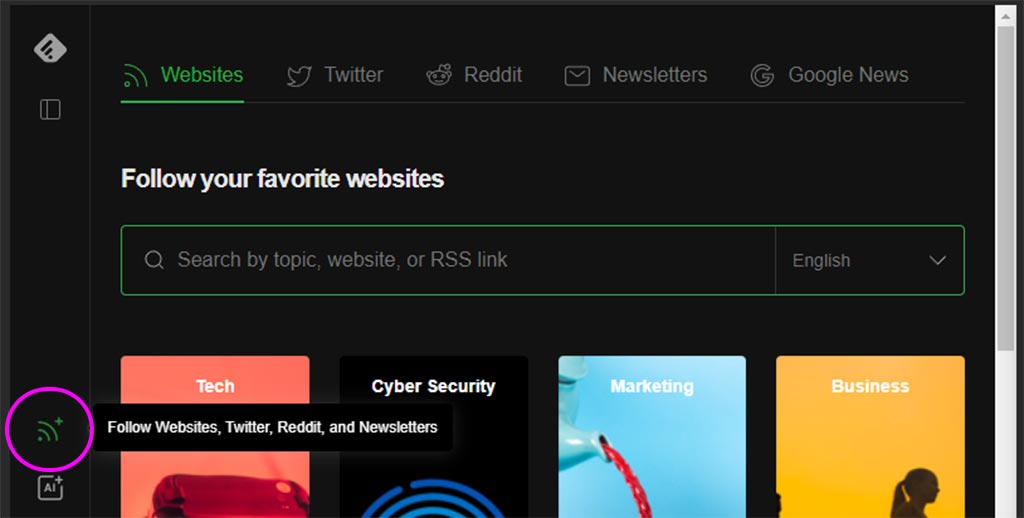
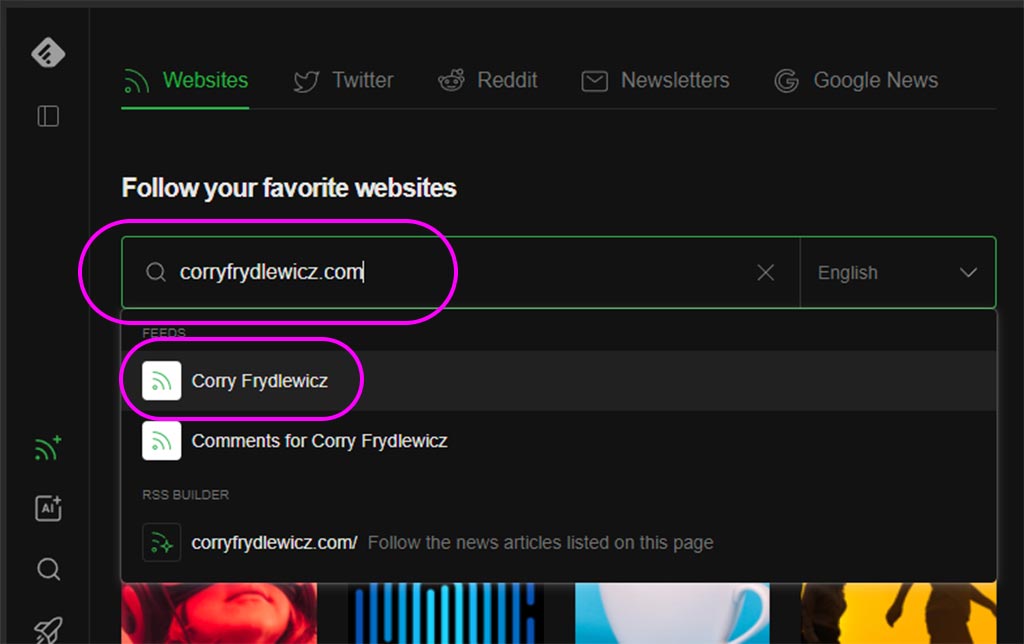
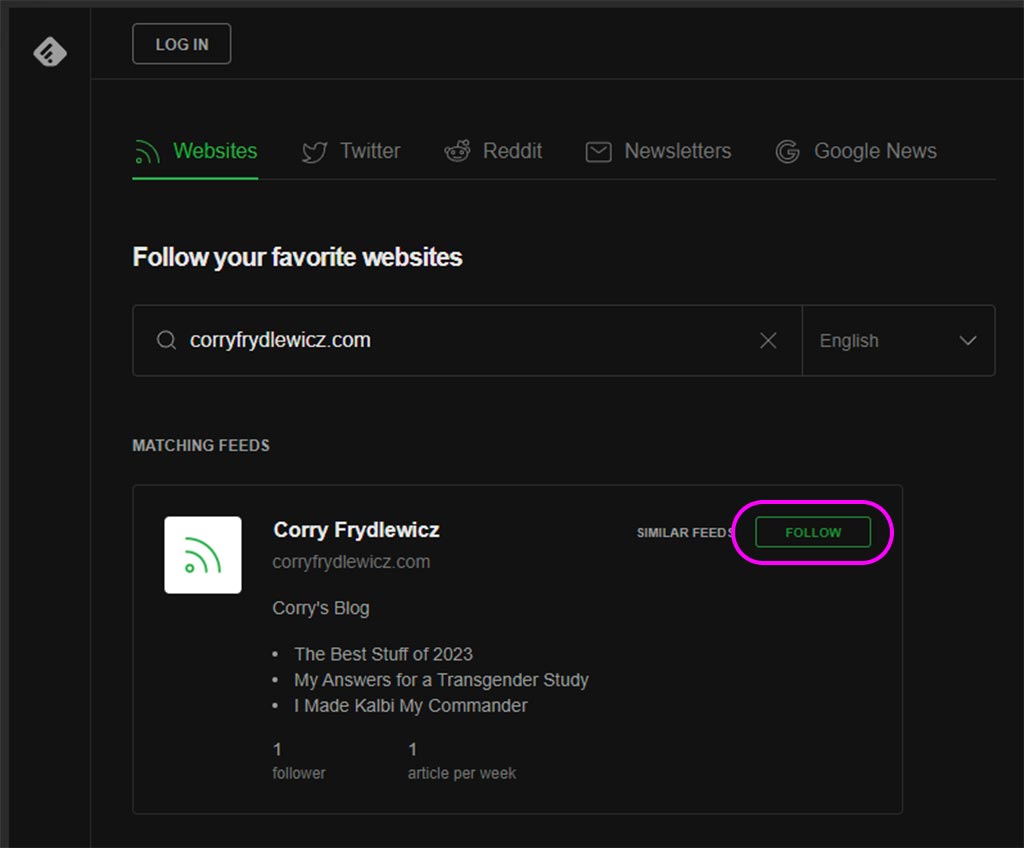
You can also use the search feature in the app to find me:
Step 3: Check in on Your Feed Whenever You Like
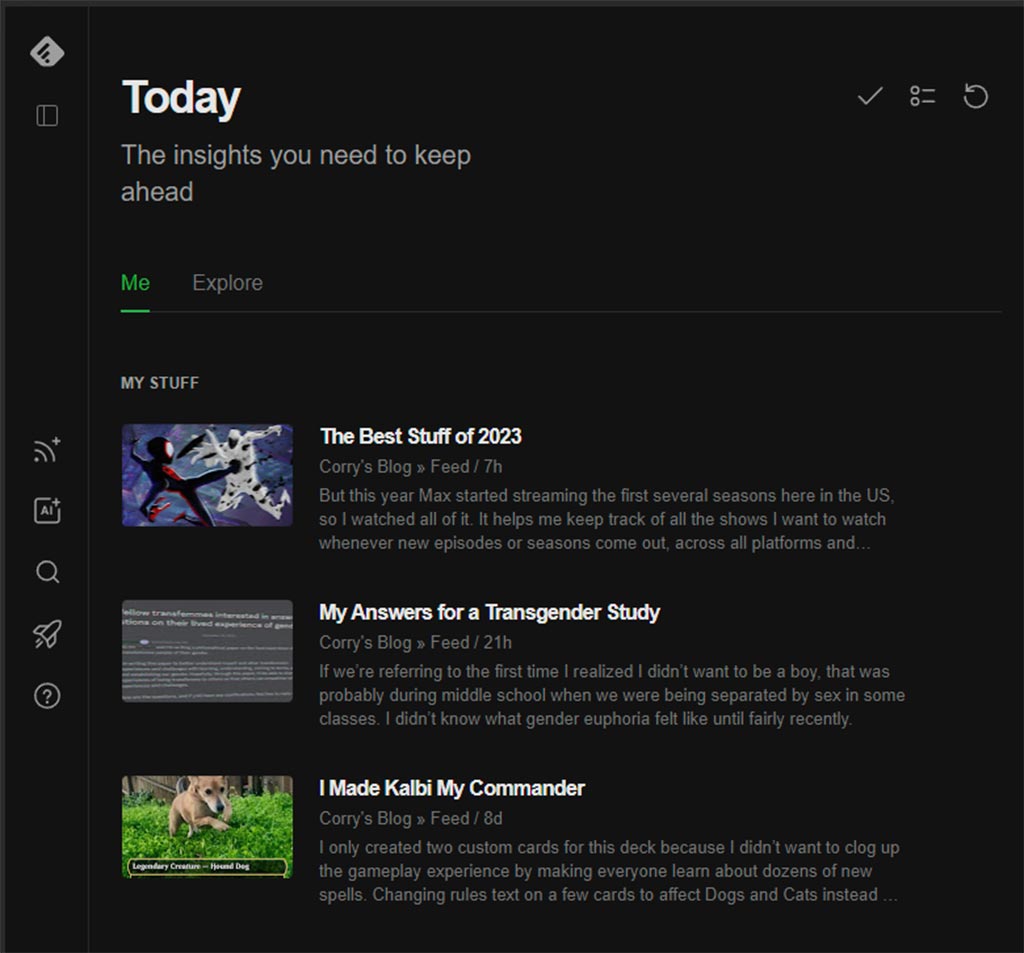
Once you follow, you should be able to see a feed of all your subscriptions, now including my blog too!
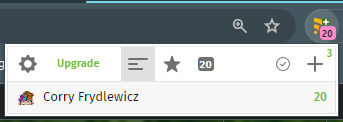
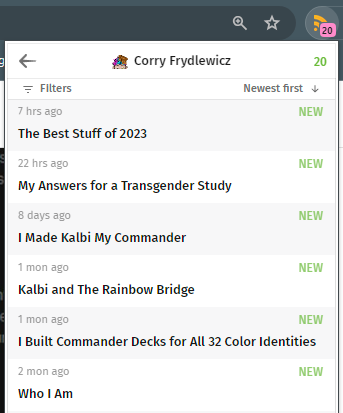
For the Chrome Browser Extension version, it looks like this:
Thanks for subscribing!
Let me know if you have any trouble and I can try to assist!